

Your hosting plan is costing you customers. Not because it’s expensive. Because it’s wrong for your business. A slow load time, a surprise outage, or a renewal price that triples overnight; these aren’t just technical headaches, they’re real revenue problems. When your website directly generates revenue from bookings, sales, leads, or client inquiries, unreliable hosting isn’t just an inconvenience. It’s a business risk.
This guide cuts through the noise and tells you exactly what to look for in a host, and which ones actually deliver for small businesses running on WordPress.
Here’s what we cover:
- What web hosting actually is and why it matters for growth
- The key features to look for before you commit to a plan
- The 5 best web hosting options for small businesses, reviewed and ranked
- How to match the right hosting type to your business size
- When it makes more sense to hand hosting off entirely
- Managed vs. shared hosting: which one fits your situation
If you’d rather skip the research altogether, Freshy’s managed WordPress hosting handles everything from speed optimization to security. Over 2,400 businesses have trusted us with exactly that.
What is web hosting
You’re probably somewhat familiar with the concept of web hosting. You pay a provider a recurring fee in exchange for them “hosting” your website on a server. In a nutshell, it’s like renting a public storefront so visitors can find and access your site.
There are hundreds of web hosting companies to choose from, ranging from budget options to VIP providers that hand-pick their clients. If you’re working on your first website, you don’t need to use a provider that costs you hundreds of dollars per month. However, settling for the cheapest web host you find isn’t a good idea, either.
Web hosts can vary a lot in terms of their performance, the quality of their support, and the features they offer. When looking for a host for your business website, we recommend paying attention to the following:
- The number of sites each plan supports
- The monthly versus annual costs of the plan
- The amount of storage and bandwidth that you get
- Quality of Life (QoL) features such as automatic backups, updates, and website optimization
If you’re working with a WordPress developer, you’ll also want to look for features that make their life easier, such as staging websites and WP-CLI support. Additionally, we recommend that you opt for managed hosting plans. This type of service usually comes at a premium, but translates to better website optimization, additional QoL features, and professional support.
What to look for in a hosting plan
Not all hosting plans are built equal. Plenty of providers will win you over with a low introductory price, only to triple it at renewal. Before you commit, here are the features that actually matter.
The non-negotiables
| Feature | Why It Matters |
| Uptime guarantee (99.9%+) | Anything less means real hours offline per year |
| SSD/NVMe storage | Directly impacts page load speed and user experience |
| Free SSL certificate | Required for security, trust, and Google rankings |
| Automated daily backups | Your safety net when things go wrong |
| CDN integration | Faster load times for visitors regardless of location |
Features worth paying attention to
- Renewal pricing. A host charging $4/month for the first year and $14/month at renewal is more expensive over three years than one charging $8/month consistently. Always check the renewal rate before signing up.
- Server speed stack. Hosts running LiteSpeed Web Server with server-level caching typically deliver pages significantly faster than equivalent Apache or Nginx configurations under load.
- Scalability. Your plan should let you upgrade storage, bandwidth, and performance without forcing a full migration.
- Support quality. Look for 24/7 live chat with technical staff who can actually resolve issues, not just escalate them.
- Managed vs. unmanaged. There’s no precise definition of “managed,” so check exactly what’s covered before you buy. Some plans handle everything. Others leave you doing more than you’d expect.
Pro tip:Pages loading over 3 seconds see 53% higher bounce rates. Speed isn’t optional. It’s a conversion factor.
If you’d rather have all of this handled for you, our WordPress managed hosting covers security, speed, backups, and updates under one roof.
5 best web hosting options for small businesses
For this roundup, we decided to focus on WordPress-friendly web hosts that offer managed plans at affordable prices. Each web host caters to a different audience, and one of them might be perfect for your business website.
1. Pressable
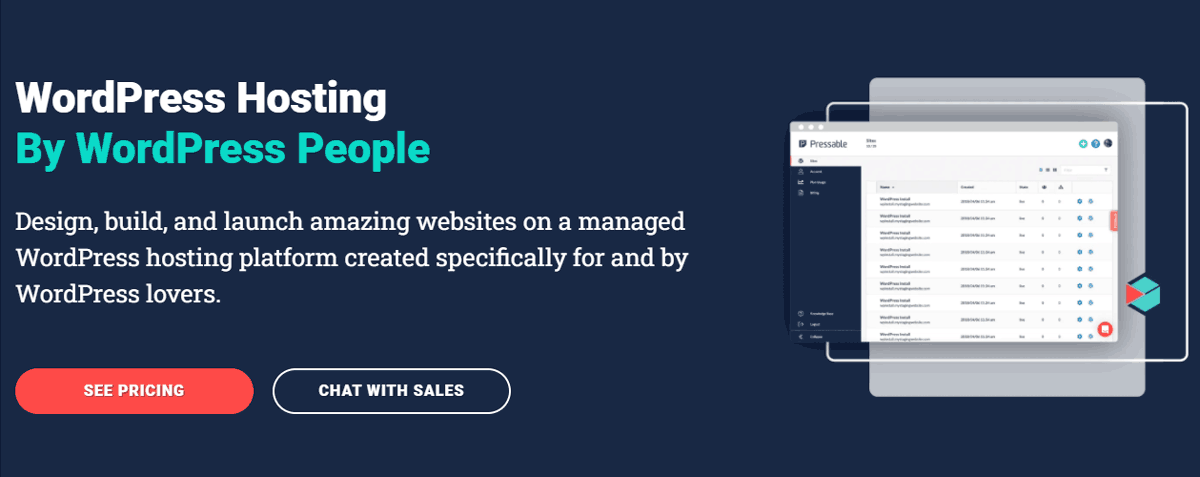
Pressable is a managed WordPress hosting company that offers plans for small businesses, agencies, web developers, and everything in between. Most of these plans are reasonably-priced, and they’re designed to help you launch your first e-commerce website.
As a small business owner, you may want to start with the company’s Personal Plan. This includes a variety of benefits, including:
- Up to one WordPress installation
- Support for up to 30,000 visitors per month
- 20GB of storage
- Performance monitoring and optimization services
- Daily backups
- Automatic WordPress updates
- Free Secure Sockets Layer (SSL) setup
Pressable offers Content Delivery Network (CDN) integration for all of its clients. The company also has a selection of hosting plans designed specifically for WooCommerce stores.
If you sign up for Pressable, you also get free access to the WP101 academy, which includes hundreds of hours of WordPress tutorials. Traditionally, WP101 plans start at $19 per month, which makes this a great deal if you’re interested in learning more about WordPress.
Although Pressable offers a lot of handy features for WordPress newbies, it’s also very developer-friendly. If you’re working with a WordPress developer, they’ll appreciate that Pressable gives them access to staging functionality, a custom hosting dashboard, and more powerful tools.
Price: Pressable plans start at $17.50 per month. You get a 30 percent discount if you pay for at least a full year upfront.
2. SiteGround
SiteGround offers one of the best balances between cost, features, and performance that you’ll find in a hosting provider. This particular web host provides multiple types of hosting plans, including several WordPress-specific options.
With SiteGround, you get managed WordPress hosting at some of the cheapest prices on the web. The company offers a starter plan at just $3.99 per month. Using that plan, you get all of the following features:
- Support for one website
- 10GB of storage
- Unlimited traffic
- Automatic WordPress updates
- Daily backups
- Free SSL certificate
SiteGround also offers free integration with a CDN with all of its plans. If you’re working with a WordPress developer, this web host enables you to use WP-CLI to update and manage your website.
As you start moving up SiteGround’s range of WordPress plans, you’ll run into more advanced features including staging functionality, Git support, and on-demand backups. However, if you’re launching a starter website for your business, there’s no beating SiteGround’s StartUp plan.
Price: SiteGround plans start at $3.99 per month and go up to $10.69. To get the best possible price, you need to pay for at least 12 months in advance.per month and go up to $10.69. To get the best possible price, you need to pay for at least 12 months in advance.
3. Bluehost
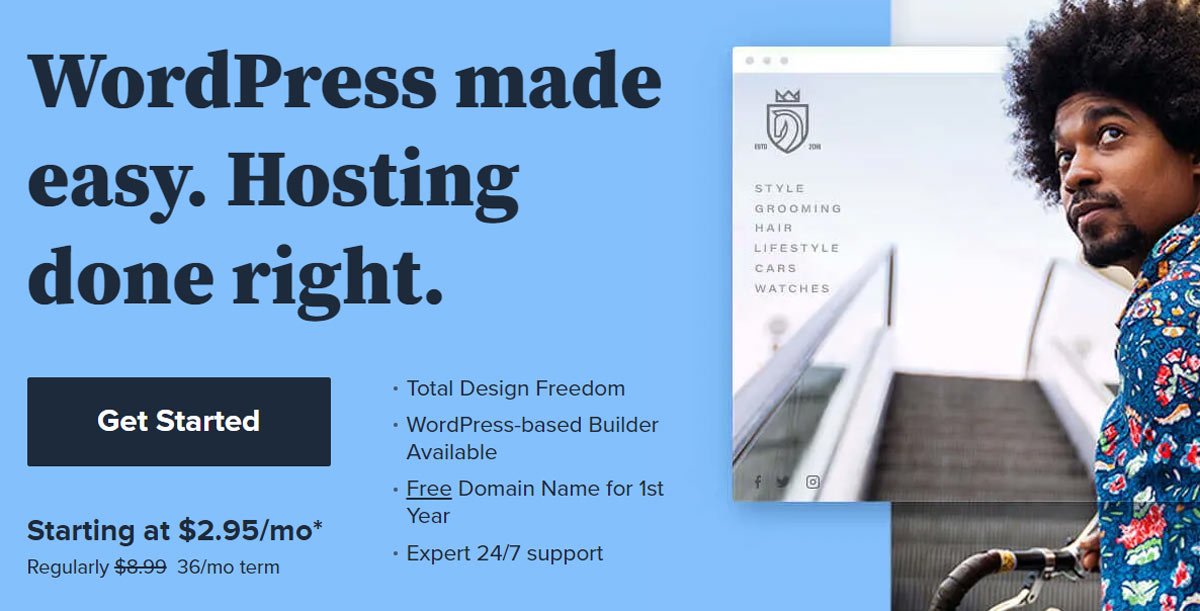
Bluehost is one of the most popular web hosting services, offering both regular and managed WordPress plans. The company’s starter plans are very budget-friendly, with its BASIC option starting at just $2.95 per month.
However, you’ll need to opt for Bluehost’s managed WordPress hosting plans if you want to get the best possible experience. These plans are a bit more expensive, but you get access to better performance across the board and a lot of features to make your work easier.
Bluehost’s cheapest managed WordPress hosting plan, called BUILD, offers the following features:
- Support for one website
- 20GB of storage
- Support for up to 50,000 visitors per month
- Free SSL setup
- Free Jetpack Personal license
- Daily scheduled backups
The BUILD plan costs $9.95 per month. With this plan, you also get access to an integrated CDN and staging functionality, which is a fantastic way to update your website safely.
More expensive managed plans include built-in Search Engine Optimization and access to premium support. However, there are plenty of plugins that you can use for SEO. Moreover, if you run into a severe issue with your site, it may be better to hire a developer than to reach out to support. Unless you need more storage or bandwidth, we recommend sticking with the BUILD plan.
Price: Bluehost’s managed WordPress plans start at $9.95 per month. However, that rate is only available if you sign up for at least 36 months.rt at $9.95 per month. However, that rate is only available if you sign up for at least 36 months.
4. DreamHost

A lot of web hosts come at you with a massive range of plans. If you’re working on your first website, it can be hard to figure out what the best option is. DreamHost uses a different approach. The company offers multiple types of WordPress hosting, but each one comes with just a small selection of plans.
With DreamHost, you get basic WordPress hosting, managed plans, high-performance options, and even WooCommerce hosting. For this particular web host, we recommend its suite of managed WordPress hosting plans, called DreamPress.
DreamPress plans start at $16.95 per month, making DreamHost the most expensive option we’ve seen so far. However, the basic DreamPress plan also gives you a lot of bang for your buck, including the following features:
- Support for one website
- 30GB of storage
- Up to 100,000 visitors per month
- Custom WordPress page builder
- Pre-installed SSL certificate
- Automated daily backups
One of the advantages of using DreamPress is that its plans are designed to help you get your business website up and running without needing to hire outside help. The web host offers a quick start wizard that will walk you through choosing a theme (from over 200 options) and customizing your website.
The biggest downside to DreamPress is that all of its plans only support one website. That means if you ever need to set up an additional website, you’ll have to pay extra.
Price: DreamHost’s DreamPress plans start at $16.95 per month, and you can choose to pay monthly. Moreover, DreamHost supports both credit cards and PayPal.ans start at $16.95 per month and you can choose to pay monthly. Moreover, DreamHost supports both credit cards and PayPal.
5. Kinsta
Let’s start by saying that Kinsta is not a budget-friendly WordPress host. The company offers a broad range of managed WordPress hosting plans, with ten different tier options depending on your business’s needs. The Starter Kinsta plan costs $30, which is far more expensive than our other picks.
Having said that, Kinsta offers one of the most hands-on WordPress hosting services that you can find. The entire point of using a hosting provider such as Kinsta is that you seldom have to worry about maintenance tasks. By and large, the company takes care of all the inner workings of your site so you can focus on running it.
If you sign up for the Kinsta Starter plan, here’s what you get:
- Support for one website
- 10GB of storage
- Up to 25,000 visitors per month
- Free CDN integration
- Automatic daily backups
- Free SSL certificates
As far as advanced features go, few hosting providers offer as many options as Kinsta. You get staging functionality and performance monitoring tools with every plan. You also get access to one of the most comprehensive and user-friendly hosting control panels in the market, which makes it a breeze to manage multiple sites.
It’s important to understand that once you outgrow Kinsta’s Starter plan, you can end up spending hundreds a month on hosting. For a small business, it can be hard to justify that expense. However, if you use your website to collect leads or sell services, hosting should more than pay for itself.
Overall, if you’re comfortable stretching your budget a bit, Kinsta is one of the best WordPress hosting providers that you can choose. However, you can more than match its performance with a cheaper option if you’re willing to put some time into optimizing your website’s performance.
Price: Kinsta’s plans start at $30 per month. If you pay for two years in advance, you get two months off, but you can simply pay on a monthly basis if you prefer. Kinsta accepts credit cards for month-to-month payments, wire transfers, and ACH if you pay yearly.
Match your hosting to your business size
The hosting type that fits a five-page brochure site will not hold up for a growing ecommerce store. Here’s a straightforward breakdown of what works at each stage.d on. We can also offer you hosting directly through FreshySites if you want a solution that takes care of all your WordPress needs.
| Business Stage | Best Hosting Type | Why It Works |
| Just starting out | Shared web hosting | Low cost, easy setup, enough for low traffic |
| Growing steadily | Managed WordPress hosting | Performance and support without the technical overhead |
| Scaling fast | VPS hosting | Dedicated resources, more control, better isolation |
| High traffic or enterprise | Dedicated hosting | Full server resources, maximum performance |
A few things worth knowing:
- Shared hosting puts your site on a server alongside hundreds of others. It works fine for new or low-traffic small business websites, but performance can dip when neighboring sites spike in traffic.
- Virtual private server hosting gives you partitioned dedicated resources on a shared machine. Think of it as having your own lane on a shared highway.
- Dedicated servers hand you an entire physical server. Powerful, but expensive and overkill for most small businesses.
- Managed WordPress hosting sits between shared and VPS in terms of cost, but handles all the technical aspects of running your site for you.
Don’t buy for where you are today. Buy for where you expect to be in 12 months. Migrating hosts mid-growth is painful and avoidable.
When to hand hosting off entirely

There’s a point where managing your own hosting stops making sense. Here’s how to know you’ve reached it.
You’re probably there if:
- You’ve had unexplained downtime and had no idea how to fix it
- Plugin updates or WordPress core updates make you nervous
- Your site speed is slipping, and you don’t know why
- Security feels like a mystery you’d rather not solve
- You’re spending time on technical support tickets instead of running your business
This is exactly where a fully managed solution pays for itself. Our WordPress maintenance and managed hosting services take the entire backend off your plate. Updates, automatic backups, security monitoring, speed optimization, all of it handled. You stay focused on the business. We handle the infrastructure.
Managed vs. shared hosting
This is the question most small business owners wrestle with. Here’s the honest breakdown.
| Shared Hosting | Managed WordPress Hosting | |
| Cost | Lower | Higher |
| Performance | Variable | Consistently optimized |
| Security | Basic | Infrastructure-level |
| Support | General | WordPress-specific |
| Updates | Manual | Automatic |
| Best for | Startups, tight budgets | Businesses that can’t afford downtime |
Shared hosting makes sense when you’re just testing the waters, working with a tight budget, or building a simple WordPress site with minimal traffic. It’s a solid starting point, not a long-term strategy.
Managed WordPress hosting makes sense when your website is actively generating leads, bookings, or revenue. The cost difference between shared and managed is usually far smaller than the cost of a bad week of downtime.
One thing people often overlook: email hosting. Many shared plans bundle it in, but the quality varies. If professional email matters to your business, make sure it’s accounted for in whatever plan you choose.
The bottom line: shared hosting gets you online. Managed hosting keeps you competitive.
How to read a hosting plan (before you buy)
Most people pick a hosting plan based on price alone. Then they get hit with renewal fees, bandwidth caps, or a support team that takes 48 hours to respond. Here’s how to actually read a web hosting plan before you commit.
The features that matter on paper
| Feature | What to Look For |
| Storage | SSD or NVMe minimum. Unlimited storage claims often have fair-use caps, so read the fine print |
| Bandwidth | Unlimited bandwidth or unmetered bandwidth are ideal. Metered plans can get expensive fast during traffic spikes |
| Free domain | Many web hosting providers include a free domain name for the first year only. Budget for renewal |
| Money-back guarantee | A solid 30 days money-back guarantee is standard. DreamHost offers 97 days, which is worth noting |
| Email hosting | Check whether email hosting is included and how many accounts you get. Professional domain registration matters for credibility |
| Website builder | A free website builder is handy for beginners, but if you’re on WordPress, you likely won’t need it |
Hosting types and what they actually cost
Different hosting solutions serve different needs. Here’s a plain-English breakdown:
- Shared hosting is the cheapest hosting plan category. It works well for new WordPress sites with modest traffic. Resource usage is pooled across accounts, so peak-time slowdowns are a real possibility. Think of it as sharing an office floor with other businesses.
- VPS hosting costs more but gives you isolated server resources and better site speed. You also get root access or full root access, depending on the plan, which matters if your team needs direct control over the server environment. A virtual private server is essentially your own walled-off section of a physical server.
- Cloud hosting spreads your site across multiple servers, so if one goes down, your site stays up. Providers like SiteGround run their infrastructure on Google Cloud, which contributes significantly to their speed and uptime advantage.
- Reseller hosting and reseller hosting plans are built for agencies or developers who want to host websites and manage multiple websites under one hosting account. If you’re running web properties for clients, reseller hosting is worth a look.
- Dedicated hosting puts you on your own physical server entirely. You get dedicated servers with no shared resource usage. It’s the most powerful option available, but also the most expensive, and most small businesses simply don’t need it yet.
- Dedicated IP address is a separate consideration. A dedicated IP address gives your site its own unique identifier on the web, which can matter for SSL setup, certain payment gateways, and email hosting reputation.
The fine print most people miss
- Server location affects load speed more than most people realize. A server sitting on the other side of the world adds latency every time someone visits your site. Always check where a provider’s data centers are relative to your primary audience.
- Round-the-clock support is advertised by nearly every provider. What varies is quality. Live chat with a knowledgeable technician is very different from a ticket queue that takes two days to respond.
- Limited features on entry-level plans are common. A hosting package that locks key features like staging, automatic backups, or marketing tools behind a premium tier is worth factoring into your total cost calculation upfront.
- Transferring your existing website is another consideration many overlook. Some hosts offer free migration, others charge for it. If you’re moving your website’s files from a current provider, confirm migration support before signing up.
- Affordable pricing and multiple websites support may seem like standard features, but they’re not universal on entry plans. If you’re planning to succeed online with more than one web property, confirm the plan supports it before you buy.
- VPS plans also vary significantly in what they include. Some come fully managed, meaning the provider handles updates, patches, and monitoring. Others give you full root access and leave the rest to you. Know which one you’re signing up for.
For businesses that want a genuine all-in-one platform covering hosting, maintenance, security, and digital marketing in one place, our WordPress managed hosting is built exactly for that. No chasing multiple vendors. No piecing together separate tools. Just one team handling your own website end to end.
Your WordPress site deserves better than basic hosting. Freshy delivers
Picking the right website hosting comes down to three things: matching your plan to your business size, understanding what you’re actually paying for, and knowing when to hand the technical side off entirely. The wrong choice costs you speed, uptime, and ultimately, customers.
Key takeaways:
- Shared web hosting works for new sites; managed hosting works for businesses that can’t afford downtime
- Always check renewal pricing, not just introductory rates
- Server location, unmetered bandwidth, and automatic backups are non-negotiable features
- VPS hosting and cloud hosting are worth considering as your traffic scales
- A money-back guarantee gives you room to test before you fully commit
- Technical support quality varies wildly, so verify it before you need it
We’ve been building and managing WordPress sites for over 2,400 clients since 2011. Our managed WordPress hosting takes all the technical aspects off your plate so you can focus on growing your business. Speed, security, backups, updates; all handled.
Get a quote today and let’s find the right hosting setup for your site, or explore our work to see what we’ve built for businesses just like yours.
FAQs
What is the best web hosting service for small businesses?
The best web hosting providers for small businesses are Hostinger, SiteGround, and Bluehost. For WordPress sites, managed hosting solutions deliver the best results.
How much is 1 year of hosting?
Most web hosting plans range from $36 to $120 per year. The cheapest hosting plan starts around $2.99/month on a 12-month term.
Is Google hosting free?
Google Cloud offers a limited free tier, but it’s not a practical small business website solution. A paid hosting package is more reliable and easier to manage.
Which website host is best for beginners?
Hostinger is beginner-friendly, offering a free website builder, free domain name, unlimited bandwidth, and round-the-clock support on all plans.
Which is better, GoDaddy or Hostinger?
Hostinger wins on affordable pricing, site speed via LiteSpeed web server technology, and unlimited websites. GoDaddy has stronger domain registration tools and a broader range of dedicated hosting options.
How much does it cost to pay someone to host a website?
Professionally managed website hosting typically runs $25 to $100+ per month, covering automatic backups, security, and technical support for your WordPress website.




)